Preview image. Unlock full-res
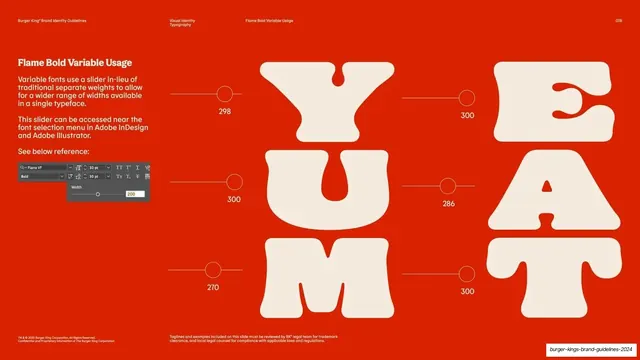
Red page showing the variable width slider in use, with YUM and EAT letters each tagged with a width value and slider control.
Summary
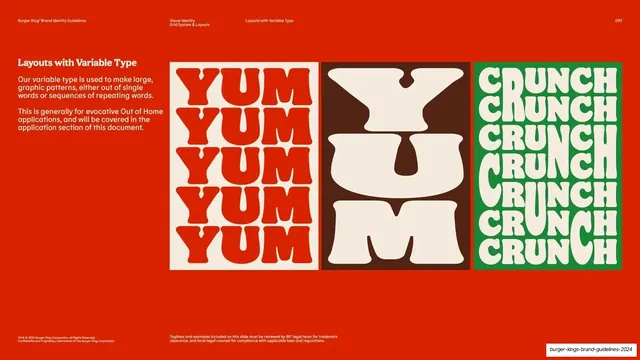
A variable-font usage page: the width slider explained, with the words YUM and EAT set as giant stacked caps, each letter tagged with its width value and a small slider-control graphic.
Visual description
Red ground, cream type. A left column carries the "Flame Bold Variable Usage" heading and copy explaining that variable fonts use a slider instead of separate weights, accessible near the font menu in Adobe InDesign and Illustrator, plus a small grey screenshot of a Width slider panel. The center and right hold two columns of huge rounded-serif caps stacked vertically: "Y U M" and "E A T". Beside each letter is a thin horizontal line ending in a small open circle (a slider control) and a numeric width value (298, 300, 270 for one column; 300, 286, 300 for the other), showing each glyph set to its own point on the width axis. Footnote chrome and page number "078" sit at the bottom.
Key takeaway
Annotating each letter with both a miniature slider graphic and its exact width number, so the abstract axis becomes a concrete per-glyph setting a designer can reproduce. Pairing the live specimen with the actual software panel closes the gap between rule and execution.
Reuse notes
The applied counterpart to the variable-letters page. Reuse the per-letter slider-and-value annotation when you need designers to dial in specific axis settings. Keep the software screenshot current to the tools in use; the numeric values make the examples directly repeatable.
From this deck: Flame Bold Variable usage slider
View deck























































More like this






Keep what you find
A free account saves references to boards and can send you a weekly email of picks based on what you save.
To see every result, go Pro.