Preview image. Unlock full-res
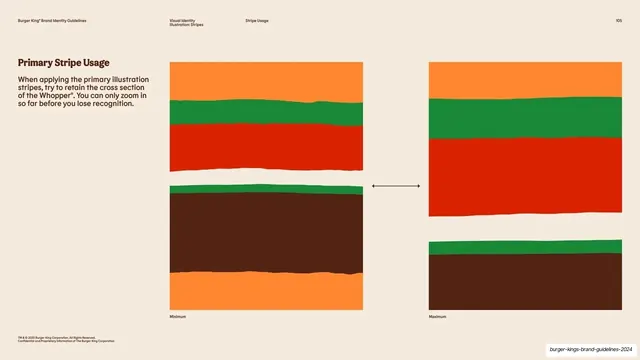
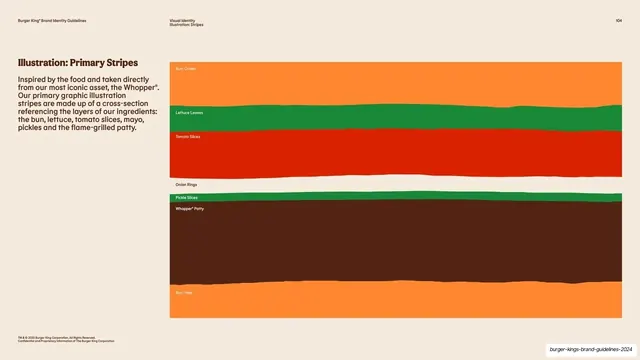
Cream usage page showing minimum and maximum stripe crops side by side with a sidebar rule about retaining the Whopper cross-section.
Summary
The stripe crop rules: a sidebar note on cream advises retaining the Whopper cross-section, beside two paired stripe swatches labeled Minimum and Maximum showing how far the pattern may be zoomed.
Visual description
Warm cream background. The left sidebar carries a bold brown "Primary Stripe Usage" heading and a short paragraph warning you can only zoom in so far before recognition is lost. The right side shows two columns of stripe crops with a horizontal arrow between them: the left pair ("Minimum") keeps many bands visible, the right pair ("Maximum") shows a tightly zoomed two-band crop. Each crop retains the torn edges. Standard running header and legal footer frame the page.
Key takeaway
Defining a usage range with a simple Minimum / Maximum pair and an arrow between them, so the rule is shown rather than described. It gives partners a visual envelope for cropping the asset instead of a vague instruction.
Reuse notes
A reusable do-rules layout for any scalable brand asset (patterns, logos, illustrations) where over-zooming breaks recognition. The two-state comparison with a connecting arrow reads instantly. Keep the swatches large enough to judge the crop.
From this deck: Primary stripe usage minimum and maximum
View deck
































































































More like this







Keep what you find
A free account saves references to boards and can send you a weekly email of picks based on what you save.
To see every result, go Pro.