Preview image. Unlock full-res
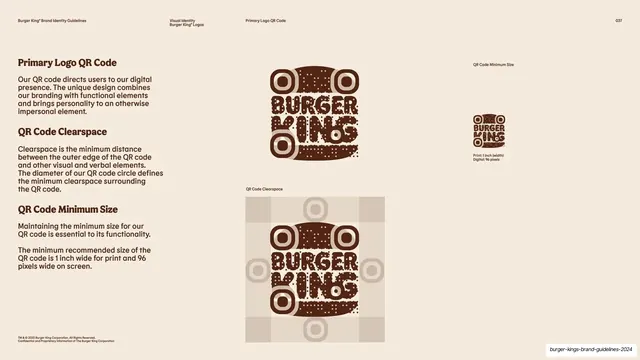
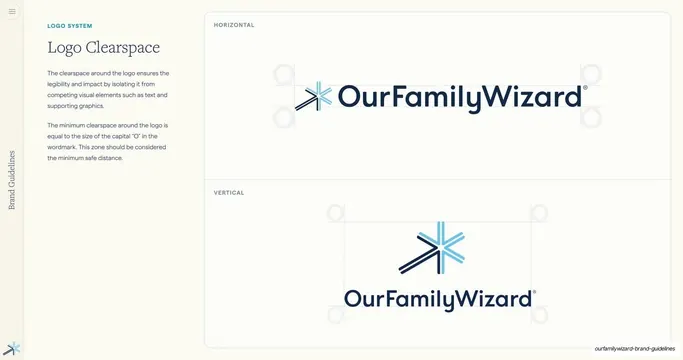
Cream page presenting BK's custom branded QR code with its clearspace box and print and digital minimum sizes, explained by three stacked text blocks.
Summary
A QR-code spec page: BK's custom brown branded QR code shown large, with a clearspace box on a tan grid and stated print and digital minimum sizes, described by three left-hand text blocks.
Visual description
Warm cream background. The left column has three headed blocks in brown serif with gray sans body: "Primary Logo QR Code" (a custom code that adds personality), "QR Code Clearspace" (the QR circle diameter defines the surrounding clearspace), and "QR Code Minimum Size" (1 inch wide for print, 96 pixels on screen). The center-right shows the custom QR code rendered in dark brown with rounded modules and the words "BURGER KING" worked into its center; below it the same code sits inside a tan clearspace panel with circular guide markers. Far right, a small version with "Print: 1 inch (width) / Digital: 96 pixels" captions. Running header and legal footer present.
Key takeaway
Treating the QR code as a branded asset with full clearspace and minimum-size specs, just like the logo, rather than dropping in a generic black square. Baking the wordmark and brand color into the code, then documenting it, shows how to make a functional element on-brand without breaking scannability.
Reuse notes
Increasingly relevant for any modern brand guide; reuse the three-block structure (definition, clearspace, minimum size) for a custom QR asset. Always pair a styled QR with a stated minimum size, decorative codes fail when printed too small. Sits naturally inside the logo-usage section.
From this deck: Primary logo QR code, clearspace and minimum size
View deck
More like this
Keep what you find
A free account saves references to boards and can send you a weekly email of picks based on what you save.
To see every result, go Pro.