Preview image. Unlock full-res
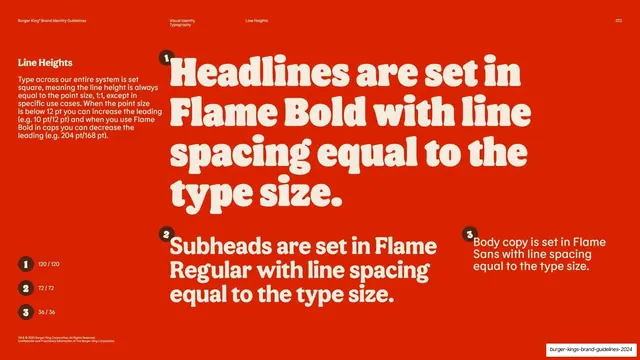
Red page on square line-height rules, illustrated with three numbered live type blocks and a ratio key.
Summary
A line-height page: the rule that leading is set square (equal to point size) by default, demonstrated with three numbered live type blocks and a small ratio key down the left edge.
Visual description
Red ground, cream type. A left column holds the "Line Heights" heading and a paragraph explaining the system is set square (line height equal to point size) except in specific cases. Three numbered statements, each marked with a small dark circular badge (1, 2, 3), fill the slide as live type: a large rounded-serif block "Headlines are set in Flame Bold with line spacing equal to the type size", then a medium "Subheads are set in Flame Regular..." block, and a small "Body copy is set in Flame Sans..." block. A small key at the lower left lists the matching ratios (120/120, 72/72, 36/36) against the same numbered badges. Footnote chrome and page number "072" sit at the bottom.
Key takeaway
Numbering the three statements and echoing the same numbers in a compact ratio key, so the prose rule and the exact figures are cross-referenced without cluttering the demo. Setting each statement at the size it describes makes the line-spacing visible in the example itself.
Reuse notes
The companion to the size-relationship page; together they fully define hierarchy and leading. Reuse the numbered-statement-plus-key device anywhere a rule has both a plain-language form and exact values. Square leading is specific to this system; state your own ratios in the key.
From this deck: Line heights rules demo
View deck
















































More like this








Keep what you find
A free account saves references to boards and can send you a weekly email of picks based on what you save.
To see every result, go Pro.